
nano_flyer_thumb2009

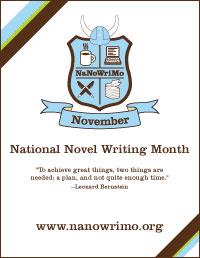
As Gwen announced last week, it’s NaNoWriMo (National Novel Writing Month), the annual challenge to write a 175-page (50,000 word) novel during the month of November. How many of you are taking part? We have at least one FWR editor and one contributor on the scene, and so far they’re keeping up with the wordcounts. You’re 1/10 of the way through your novel by now, right?

Right?

Here’s some extra motivation. NaNoWriMo’s profile has risen from Crazy Thing 21 People Did in 1999 to Mass Writing Event in 2008. Last year, NaNoWriMo reported over 120,000 participants, 20,000 of whom finished their novels by the November 30 deadline. With that rise in popularity comes a rise in attention–and publication. In 2006, Gayle Brandeis sold her novel Self Storage, originally written as part of NaNoWriMo, and this past fall Jessica Burkhardt sold her12-book Canterwood Crest YA series based on, yep, a NaNoWriMo novel. And no matter what happens with your book, there’s always the satisfaction of finally doing what you’ve always wanted: writing that novel.

This year, several companies are offering NaNoWriMo participants some technological tools to help along the way. Online self-publisher Fast Pencil will send you a coupon for a free (print) copy of your book if you use their (free) program to write it. Meanwhile, Scrivener–which describes itself as a “a word processor and project management tool created specifically for writers of long texts”–has a special NaNoWriMo trial version, as well as a discount on the full version of the program if you reach your word count. And Amazon’s print-on-demand site CreateSpace is offering writers a free (papreback) proof copy of their completed NaNoWriMo novels.

Full disclosure: Fiction Writers Review does not endorse any of the above services or products and offers the preceding information solely for the possible benefit of our readers (and would-be NaNoWriMo-ers). But people–if you try any of the above, let us know about your experiences!

5 responses to “NaNoWriMo Grab Bag: Robot Assistants and More”

  1. marissa says:

    I couldn’t formally commit to nanowrimo this year, but I’m in love with the idea and their message boards provide a lot of great encouragement and ideas to help you KEEP WRITING (my personal fave: turn off your monitor!).

    I’ve also been a big fan of Scrivener for quite some time.

  2. Celeste says:

    Marissa, I was so intrigued by Scrivener when I sat down to work on Draft #2 of my novel. I was completely restructuring the book, condensing three timelines into two, and it seemed like a good way to help me keep track of which pieces of Draft #1 were going where. Alas, it is for Macs only, so I was unable to try it.

  3. gwen says:

    I’m pretty psyched to take advantage of the CreateSpace deal… there is a certain motivation there!

    And sorry to continue with the Mac elitism, Celeste, but a site called MacHeist — http://www.macheist.com/ — is currently offering some of the most popular Mac downloads for free. One of them is a program called WriteRoom, which essentially blacks out your screen and makes everything invisible so you can write with more distractions. It’s not really much more than a glorified Notepad, but not being distracted with hitting Microsoft Word’s word count button has helped me out a lot in the last few days.

  4. Celeste says:

    To add a few more tools for PC users, since we don’t want them to feel left out:

    Instead of Scrivener, PC users can try Page Four, a similar program recommended by the makers of Scrivener.

    Writespace is a free add-on to Word 2007 that works like WriteRoom: it changes the screen to green text on black, removes toolbars, and provides only basic features like spellcheck and Find. And Dark Room is eseentially a clone of WriteRoom, made for PCs.

    Again, I have NOT tried any of these programs, and thus am NOT endorsing them, but I wanted to put them out there for PC users who might find them useful.

  5. Celeste says:

    Oh, and of course, there’s Leechblock, for those who need a self-control booster. It’s a free Firefox add-on that allows you to block certain internet sites–whichever ones you choose–for specified periods of time, so you can stop checking Facebook, etc. and get back to writing.

Comment